
A smart home app is a central tool for managing and maintaining a smart home system. It lets you control and monitor every connected device, from lighting and air conditioning to security systems and electrical appliances. People use these apps because they want simplicity, convenience and one place to control every system in the home, so the app gives easy access from anywhere and makes a smart home more efficient to use.
Why you need a smart home app
A smart home app gives homeowners easy control, convenient access and smart management of their home systems. The app brings everything the home does into one place and lets you take action from anywhere, whether you’re at home or away. For example, you can turn on the living room lights while you’re out, switch off the air conditioner from work, or check the shutters remotely. When you build a smart home, the app also lets you plan schedules and program devices in advance, such as automatically turning off devices that aren’t in use, setting on times for appliances and lighting, and setting temperatures for the air conditioning.
A smart home app also gives you real-time information on energy use and alerts you to faults or unexpected events in your home systems. The same app can work with different smart home products, such as a smart water heater or smart shutters. In the app, you can schedule the water heater to run at set times, saving energy and avoiding waste, and you can control the shutters: open them, close them or adjust how much light comes in as needed. The app also gives you remote access and lets you personalize everything, so you can run all your systems easily and comfortably. The result is a better living experience and more efficient use of your devices.
The benefits of using a smart home app
As you can see, using a smart home app has many benefits, including:
Remote control and monitoring: the app lets you control your home systems from anywhere, at any time, which gives you unprecedented flexibility and convenience. You can turn appliances on as you head home, or turn them off if you forgot to before you left.
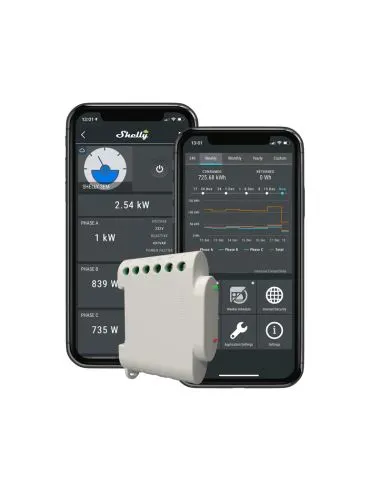
Energy savings: with the app, you can program devices to run only at the times you choose, which helps cut electricity use and prevents waste. The Shelly app also provides consumption reports that help you see which devices use the most energy.
Real-time alerts and updates: the Shelly smart home app alerts you to problems, faults or unexpected events, such as high electricity use, flooding in the home or motion picked up by the security system. That lets you respond in real time and prevent damage or problems in your home systems.
Personalization and automations: many apps offer automations such as turning off the lights when there’s no motion in the room, arming the security system when nobody is home, or running the air conditioner on a set schedule. These options create a comfortable, personal living environment tailored to the needs of everyone in the home.
Choosing the right app for your smart home system and products
The right smart home app depends on the system and products in your home. In other words, it’s important to check that the app works with the products you already have and how well it integrates with other products. For example, if your home has Shelly products, you can use the Shelly app, which is designed specifically to control and monitor the company’s products. Some apps also support external devices such as smart assistants (Google Assistant, Alexa) or different operating systems, which expands what you can do and gives you more flexibility and control. Your choice should also be based on ease of use, a comfortable interface and support for the language you prefer.
Installing a smart home app
Installing a smart home app is a fairly simple process. First, download the app from the right app store (the App Store for iOS users or Google Play for Android users). After installing it, open the app and follow the instructions to connect it to your home system. Most apps require a connection to your home Wi-Fi network, followed by connecting or detecting the smart devices already in your home. Next, you can set up schedules, automations and other settings to suit your needs. Most apps have an intuitive interface that makes it easy to set up and manage your devices. You can also use a video tutorial or the instructions in the app itself to get to know all the control and management options it offers.
A dedicated app for Shelly smart home products
Bought Shelly smart home products from us? Now it’s time to download the Shelly Smart Control app, so you can start controlling your smart home system quickly and comfortably. Download Shelly Smart Control from Google Play (for Android users) or the App Store (for iPhone users). Open the app and create an account if you need one. Next, add a room to assign the device to: tap “Add Room” and choose the room name you want. Then tap the + at the bottom right to connect the device to your home network. On Android, you need to allow the device to be included in your home network; on iPhone, choose the network name, enter the password and tap “Next”.
Now choose the device you want from the list. If the device isn’t found, press and hold the button on the back of the device for 10 seconds until the LED flashes rapidly. Repeat this step if needed. Once the device is connected, if an update is available, tap “Update”. When the update is done, tap “Add Device” and go on to choose a name, room and image for the device. The device will now appear in the app, in the room you chose. You can then go on to set up more functions to suit your needs. You’ll find more information on our website.
To order products for a smart office with a dedicated app, straight from the OZZI online store, click here.